Tools for working with AI.

Anvil makes Prompter, a CLI that installs reusable skills into your AI coding assistants for planning, designing, shipping, and documenting your projects.

PrompterReusable workflows for your AI tools.
Terminal

$ prompter init

? Select skills to install:

◉ proposal - change proposals with spec deltas

◉ apply - implement an approved proposal

◉ anvil-studio - images and promo videos

◯ skill-audit - score an existing skill

✓ 12 skills deployed to .claude/skills/

Top skillsPlan, design, ship, and document from one registry.
Claude Code - skills
/anvil-studio
images and promo videos
/proposal /apply
spec-driven changes
/project-orchestrator
plan a new project
/feature-planner
roadmap a feature
/davinci
render-verified UI
/deploy-audit
audit, then ship to a VPS

Prompter: reusable workflows for your AI tools.

Install curated skills into supported coding assistants such as Claude Code, Codex, and Copilot, then run a structured proposal-to-implementation workflow from your terminal.

Terminal - prompter

$ prompter login 1

? Anvil API key: anvil_sk_••••••••••••

✓ Logged in as raka@studio.dev - Pro plan

$ prompter init 2

? Which AI tools do you use? Claude Code, Codex

? Select skills to install:

  ◉ proposal     - change proposals with spec deltas

  ◉ apply        - implement an approved proposal

  ◉ anvil-studio - images and short promo videos

  ◉ davinci      - render-verified UI design

  ◯ skill-audit  - score an existing skill

✓ 12 skills deployed to .claude/skills/ and .codex/skills/

$ prompter update 3

✓ Registry checked - 2 skills updated

Repository
prompter/
└── changes/
    └── add-rate-limits/
        ├── proposal.md
        ├── tasks.md
        └── specs/auth/spec.md
Every change is files you can diff: a proposal, tasks, and spec deltas.
  1. 1

    One login connects the CLI to your Anvil plan and its skill catalog.

  2. 2

    Pick the skills each assistant gets; they deploy into the tool’s own skills directory.

  3. 3

    Updates re-fetch the registry and refresh deployed skills. Cached skills keep init working offline.

Skills in action

Watch three skills work.

Build

Spec-driven workflow

proposal · apply · archive

Plan a change in files, build it task by task, then fold it into your specs.

1ProposalDescribe the change in a sentence. Your assistant writes why, what changes, and the spec deltas before touching code.
changes/add-rate-limits/proposal.md

›/proposal Add rate limiting to sign-in. Someone keeps guessing passwords on /api/auth.

# Change: Rate-limit sign-in attempts

## Why

Sign-in has no per-IP limit, so passwords can be

guessed without slowing down.

## What Changes

- Sliding-window limiter on /api/auth/*

- 429 with a Retry-After header

## Impact

- Specs: auth · Code: src/lib/rate-limit.ts

specs/auth/spec.md · ## ADDED Requirements · Requirement: Sign-in rate limit
2ApplyEvery task is implemented and ticked off as it lands, so progress lives in the file.
changes/add-rate-limits/tasks.md

›/apply add-rate-limits

## 1. Limiter

✓ 1.1 Create src/lib/rate-limit.ts

✓ 1.2 Unit tests for window edges

## 2. Routes

✓ 2.1 Wire the limiter into sign-in and sign-up

◐ 2.2 Return 429 with Retry-After working

◯ 2.3 Route tests for the 429 path

3 of 5 tasks done

3ArchiveThe finished change moves to the archive and its deltas merge into your specs.
Claude Code

›/archive add-rate-limits

$ prompter archive add-rate-limits --yes

✓ Proposal and spec deltas validated

✓ auth: 1 requirement added

Change 'add-rate-limits' archived as

'archive/2026-10/2026-10-09-add-rate-limits'.

prompter/
├── specs/auth/spec.md            updated
└── changes/archive/2026-10/
    └── 2026-10-09-add-rate-limits/

Create

Anvil Studio

anvil-studio

From a one-line idea to a reviewed, finished piece, with every stage saved as editable Markdown.

1IdeaAt most three questions, each with a starred default you can simply accept.
Claude Code - anvil-studio

› /anvil-studio poster for the Kopi Pagi launch

Three quick questions:

  1. 1What is it for?★ Launch of Kopi Pagi, a weekly bean subscription in Bandung
  2. 2Where will it live?★ Instagram feed and an A2 print
  3. 3What should it feel like?★ Warm, unhurried, early morning
2DirectionsThree directions that differ in idea, layout, and look. It stars one and says why; your pick becomes the plan.
Three directions

Reading this as: an A2 poster and an Instagram post for home brewers in Bandung, a launch, in a warm, unhurried register.

  • ★ A. “On the step”

    one object · weighted band · editorial photo

    “Already at the door.”

  • B. “Last scoop, full bag”

    before and after · split · studio product

    “Last scoop. Full bag.”

  • C. “Sunrise in the cup, the obvious one”

    single object · flat illustration

    “Sunrise, every week.”

✓ plan.md approved: direction A

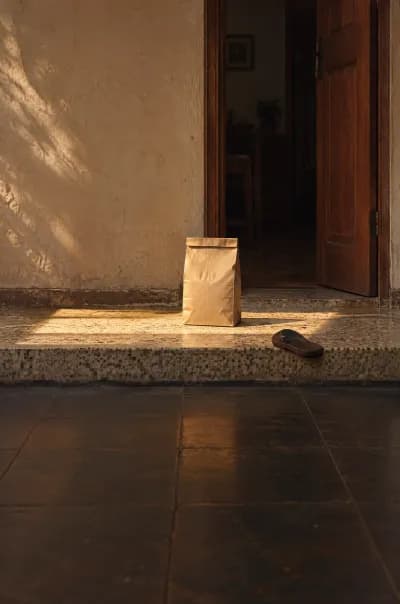
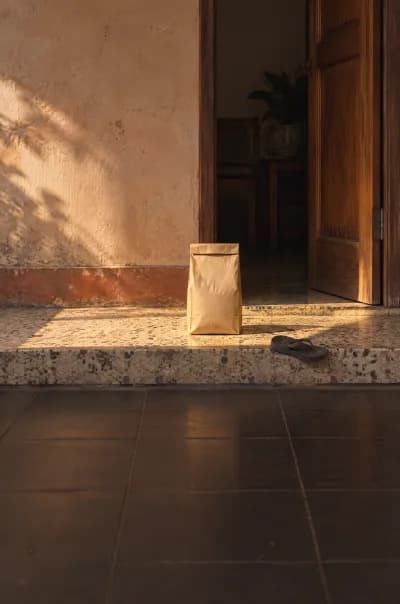
3DraftsIt sketches the layout first, then generates photos that keep the space the words need.
assets/ - bg-01
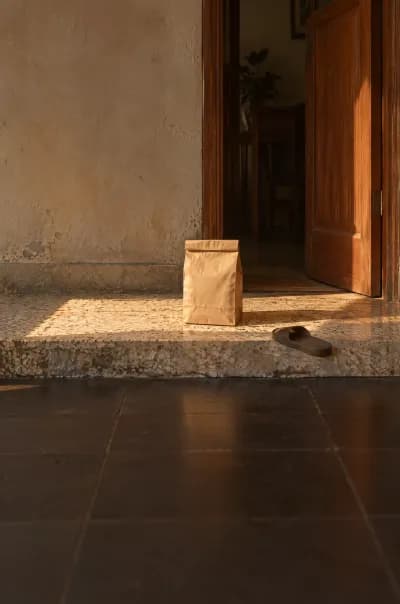
Layout sketch in flat blocks: wall, open door, step, sun stripe, bag, empty floor
sketch
Generated draft: a kraft coffee bag on a terrazzo step at sunrise
draft 1
Generated draft, picked: the bag on the step beside a terracotta skirting
draft 2 ★
Generated draft: the bag on the step, the door open behind it
draft 3

✓ No stray lettering, one light from the left

4ReviewAn art-director pass reads every render at full size and at thumbnail size, then fixes what it finds.
Review - poster v1
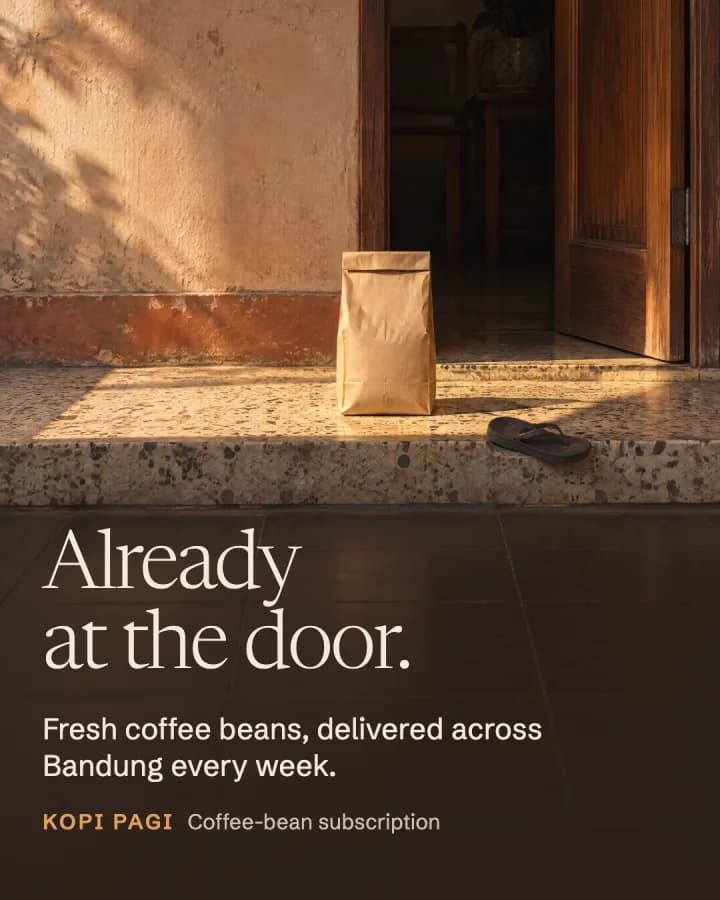
First render of the Kopi Pagi poster before the review fixes
  • ✗ Headline crowds the step's edge→ text block moved down 20px
  • ✗ A2: “week.” alone on the last line→ support line rebroken
  • ✓ The idea reads at 320px wide
  • ✓ Fonts and prompt words pass lint
5DeliverFinals are exported for every platform you named, with spend and licenses written down.
Studio gallery - kopi-pagi-launch
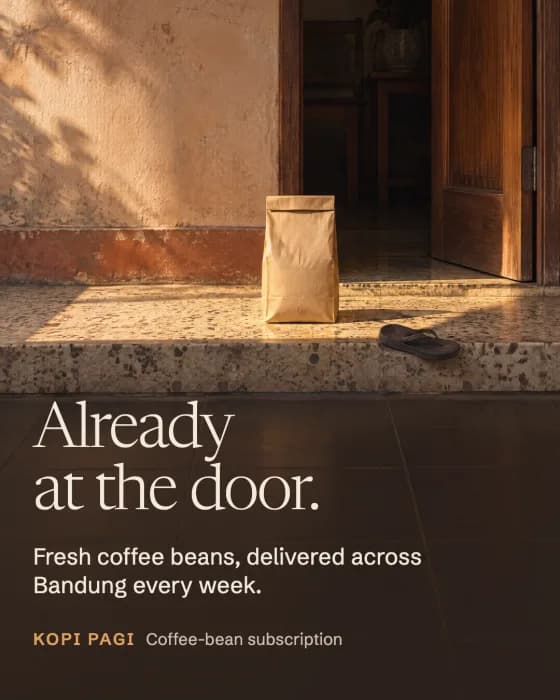
Final Instagram poster: a kraft coffee bag on a sunlit Bandung doorstep, headline Already at the door.
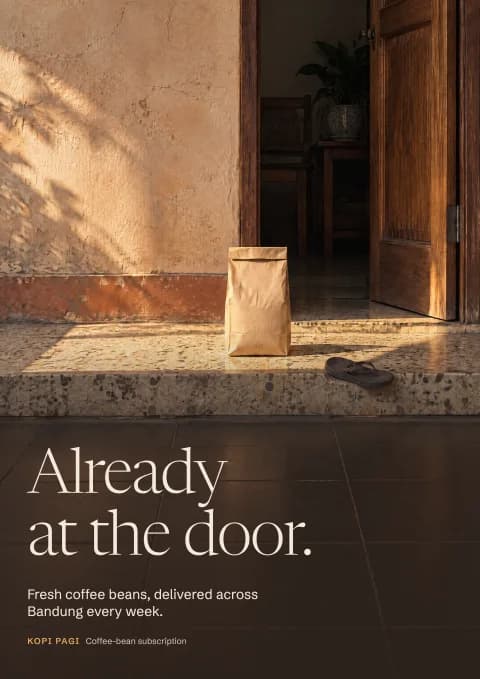
Final A2 print version of the same poster
  • ✓ ig-feed · 1080×1350
  • ✓ A2 · 300 dpi, 3 mm bleed
  • 4 images generated

Design

Davinci

davinci

UI design that is rendered and checked before you see it.

1PreviewOpinionated layouts built as live HTML previews, split into named sections you can comment on.
.preview/billing/pricing/hifi.html

› make the Plans section feel less crowded

2Three viewportsEvery pass is screenshotted at 390, 768, and 1440 pixels wide.
_snaps/

390

768

1440

3Self-critiqueIt reviews its own screenshots and fixes what it finds before you see the design.
Render check - pass 1
  • ✗ 390: plan cards push the CTA below the fold→ cards collapse behind a monthly/yearly toggle
  • ✗ 768: three columns at 230px each→ two columns, featured plan full width
  • ✗ 1440: hero line runs 92 characters→ capped at 60ch
  • ✓ Re-snapped at 390, 768, 1440: all clear
4ImplementThe approved design is built into your codebase and checked against the approved snaps.
Terminal

Approved: pricing (hifi)

→ app/pricing/page.tsx +142

→ components/pricing/plan-card.tsx +58

→ design/snaps/ 390 · 768 · 1440

Fidelity check against approved snaps

✓ 390  ✓ 768  ✓ 1440

Top skills in the registry.

Each skill is a set of instructions your assistant follows end to end, from the first question to a checked result.

  • Create

    Anvil Studio

    anvil-studio

    Turns an idea into posters, ads, carousels, mockups, and short promo videos, with an art-director critique before delivery.

    See it run
  • Build

    Spec-driven workflow

    proposal · apply · archive

    Write a change proposal with spec deltas, implement every task as it is ticked off, then archive it into your specs.

    See it run
  • Plan

    Project Orchestrator

    project-orchestrator

    Interviews you to define a new project’s MVP scope, stack, and deployment, then runs a phased roadmap of proposals.

  • Plan

    Feature Planner

    feature-planner

    Plans a feature on an existing codebase and splits large ones into increments that run in dependency order.

  • Design

    Davinci

    davinci

    Designs and revises UI like a senior designer: live previews, screenshots at three viewports, and a self-critique before you see them.

    See it run
  • Ship

    Deploy Audit

    deploy-audit

    Checks a codebase for exposed secrets, insecure defaults, and production gaps, then generates a Docker, Compose, and Caddy kit for your VPS.

  • Design

    Design System Generator

    design-system-generator

    Extracts tokens and per-component contracts from existing pages or screenshots into a design system your agent can build from.

  • Document

    Project Doc Generator

    project-doc-generator

    Drafts formal deliverables such as a product brief, BRD, FSD, or SRS from your codebase or an interview, as HTML or Markdown.

Your plan decides which skills the registry serves.

Get started with Prompter.

Prompter runs in your terminal and installs into the assistants you already use.

Sign in to your Anvil dashboard, create an API key, then run prompter login and prompter init. Your plan decides which skills the registry serves.